
Putting It All Together
Listing 11.3 shows the complete client-side code for our Ajax application.
Listing 11.3. The Complete Ajax Application
<html>
<head>
<title>Ajax Demonstration</title>
<style>
.displaybox {
width:150px;
background-color:#ffffff;
border:2px solid #000000;
padding:10px;
font:24px normal verdana, helvetica, arial, sans-serif;
}
</style>
<script language="JavaScript" type="text/javascript">
function getXMLHTTPRequest() {
try {
req = new XMLHttpRequest();
} catch(err1) {
try {
req = new ActiveXObject("Msxml2.XMLHTTP");
} catch (err2) {
try {
req = new ActiveXObject("Microsoft.XMLHTTP");
} catch (err3) {
req = false;
}
}
}
return req;
}
var http = getXMLHTTPRequest();
function getServerTime() {
var myurl = 'telltimeXML.php';
myRand = parseInt(Math.random()*999999999999999);
var modurl = myurl+"?rand="+myRand;
http.open("GET", modurl, true);
http.onreadystatechange = useHttpResponse;
http.send(null);
}
function useHttpResponse() {
if (http.readyState == 4) {
if(http.status == 200) {
var timeValue = http.responseXML.getElementsByTagName("timenow")[0];
document.getElementById('showtime').innerHTML = timeValue.childNodes[0].nodeValue;
}
} else {
document.getElementById('showtime').innerHTML = '<img src="anim.gif">';
}
}
</script>
</head>
<body style="background-color:#cccccc" onLoad="getServerTime()">
<center>
<h1>Ajax Demonstration</h1>
<h2>Getting the server time without page refresh</h2>
<form>
<input type="button" value="Get Server Time" onClick="getServerTime()">
</form>
<div id="showtime" class="displaybox"></div>
</center>
</body>
</html>
|
Loading the page into our browser, we can see that the server time is displayed in the <div> container, indicating that the onLoad event handler for the <body> of the page has fired when the page has loaded.
User Feedback
Note also that we have provided user feedback via the line
document.getElementById('showtime').innerHTML = '<img src="anim.gif">';
which executes on each change to the value readyState until the condition
readyState == 4
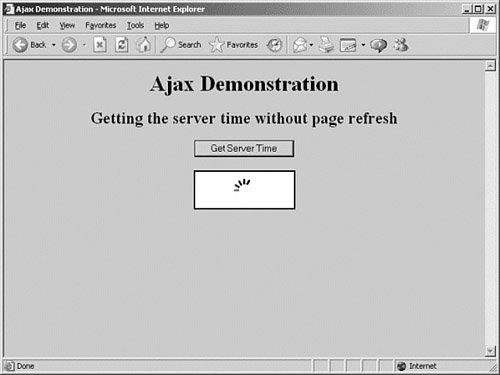
is satisfied. This line loads into the time display element an animated GIF with a rotating pattern, indicating that a server request is in progress, as shown in Figure 11.2. This technique was described in more detail in Lesson 10.
Figure 11.2. An animated image provides user feedback.
[View full size image]
Tip
 | If you have a fast server and a good Internet connection, it may be difficult to see this user feedback in action because the time display is updated virtually instantaneously. To demonstrate the operation of the animated GIF image, we can slow down the server script to simulate the performance of a more complex script and/or an inferior connection, by using PHP's sleep() command: <?php
header('Content-Type: text/xml');
sleep(3);
echo "<?xml version=\"1.0\"?><clock1><timenow>".date('H:i:s')."</timenow></clock1>";
?>
The line sleep(x);
Forces the server to pause program execution for x seconds. |
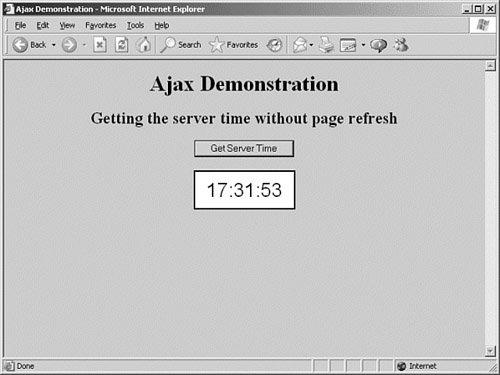
Now, each time we click on the Get Server Time button, the time display is updated. Figure 11.3 shows the completed application.
Figure 11.3. Our completed Ajax application.
[View full size image]
![[View full size image]](11fig02_alt.jpg)
![[View full size image]](11fig03_alt.jpg)