![[View full size image]](18fig01_alt.jpg)
Pointing Out Active Page Elements
Without careful design, it may not be apparent to users which items on the page they can click on or otherwise interface with to make something happen.
It is worth trying to use a consistent style throughout an application to show which page elements cause server requests or some other dynamic activity. This is somewhat reminiscent of the way that hypertext links in HTML pages tend to be styled differently than plain text so that it's clear to a user that they perform an additional function.
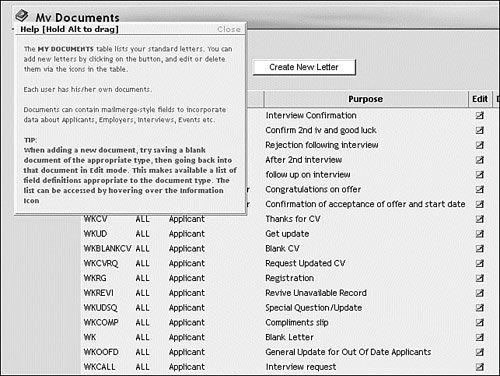
At the expense of a little more coding effort, instructions and information about active elements can be incorporated in ToolTip-style pop-ups. This is, of course, especially important when a click on an active link can have a major effect on the application's state. Figure 18.1 shows an example of such a pop-up information box.
Figure 18.1. Pop-up information helps users to understand interfaces.