Example ProjectStock Price Reader
Let's use the prototype.js library to build a simple reader that updates periodically to show the latest value returned from the server. In this example, we'll use a simple server-side script rand.php to simulate a changing stock price:
<?php
srand ((double) microtime( )*1000000);
$price = 50 + rand(0,5000)/100;
echo "$price";
?>
This script first initializes PHP's random number routine by calling the srand() function and passing it an argument derived from the current time. The rand(0,5000) function is then used to generate a random number that is manipulated arithmetically to produce phony "stock prices" in the range 50.00 to 100.00.
Now let's build a simple HTML page to display the current stock price. This page forms the basis for our Ajax application:
[View full width]
<!DOCTYPE HTML PUBLIC "-//W3C//DTD HTML 4.01 Transitional//EN" "http://www.w3.org/TR/html4
 /loose.dtd">
<html>
<head>
<script src="prototype.js" Language="JavaScript" type="text/javascript"></script>
<title>Stock Reader powered by Prototype.js</title>
</head>
<body>
<h2>Stock Reader</h2>
<h4>Powered by Prototype.js</h4>
<p>Current Stock Price:</p>
<div id="price"></div>
</body>
</html>
Note that we included the prototype.js library by means of a <script> tag in the document head. We also defined a <div> with id set to "price", which will be used to display the current stock price.
We now need to implement the Ajax.PeriodicalUpdater class, which we'll attach to the document body element's onLoad event handler. Listing 19.1 shows the complete script.
Listing 19.1. Ajax Stock Price Reader Using prototype.js
[View full width] <!DOCTYPE HTML PUBLIC "-//W3C//DTD HTML 4.01 Transitional//EN" "http://www.w3.org/TR/html4
/loose.dtd">
<html>
<head>
<script src="prototype.js" Language="JavaScript" type="text/javascript"></script>
<script>
function checkprice()
{
var myAjax = new Ajax.PeriodicalUpdater('price', 'rand.php', {method: 'post', frequency: 3
.0, decay: 1});
}
</script>
<title>Stock Reader powered by Prototype.js</title>
</head>
<body onLoad="checkprice()">
<h2>Stock Reader</h2>
<h4>Powered by Prototype.js</h4>
<p>Current Stock Price:</p>
<div id="price"></div>
</body>
</html>
|
Look how simple the code for the application has become through using prototype.js. Implementing the application is merely a matter of defining a one-line function checkprice() to instantiate our repeating Ajax call and calling that function from the body element's onLoad event handler.
From the arguments passed to Ajax.PeriodicalUpdater, you'll see that a 3-second repeat interval has been specified. This period does not change with subsequent calls because the decay value has been set to 1.
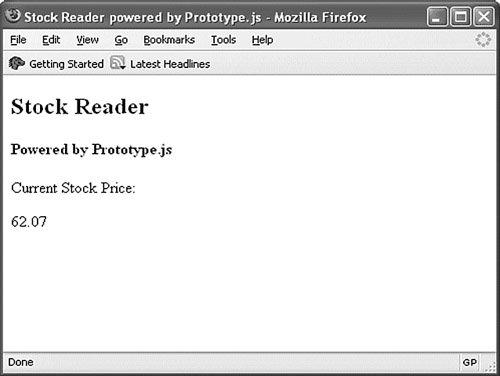
Figure 19.1 shows the application running. What cannot be seen from the figure, of course, is the stock price updating itself every 3 seconds to show a new value.
Figure 19.1. Ajax stock reader.
[View full size image]
This simple example does not come close to showing off the power and versatility of the prototype.js library. Rather, it is intended to get you started with your own experiments by offering an easy point of access to this great resource.
![[View full size image]](19fig01_alt.jpg)