![[View full size image]](21fig01_alt.jpg)
XOAD HTML
XOAD HTML is an extension that allows for the easy updating of HTML page elements using XOAD. The following examples show the use of the XOAD_HTML::getElementByID() and XOAD_HTML::getElementsByTagName() methods, which do exactly the same thing as their equivalent JavaScript DOM methods.
XOAD_HTML::getElementById()
You will recognize the layout of the code in Listing 21.2 as being similar in structure to the basic XOAD program discussed earlier.
Rather than include an external class file, in this example we have defined a class, Updater, within the application itself. The class contains a single function, change().
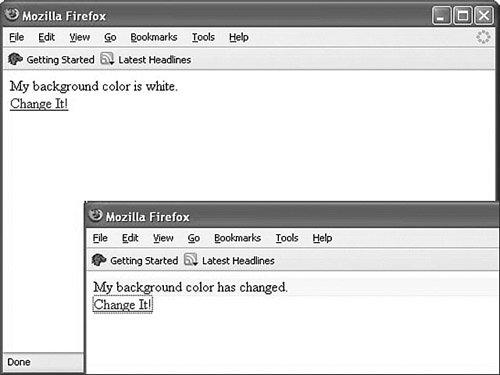
The first line in that function uses XOAD_HTML::getElementById() to identify the page element with and ID of display. Subsequent program lines proceed to change the text and background color of the page element.
The function change() is made available as a method of the JavaScript object myobj and can then be called like any other JavaScript method:
<a href="#server" onclick="myobj.change(); return false;">Change It!</a>
Figure 21.1 shows the program's operation.
Figure 21.1. Using XOAD_HTML::getElementById().
Listing 21.2. Application to Use XOAD_HTML::getElementById
<?php |
XOAD_HTML::getElementsByTagName()
The XOAD_HTML::getElementsByTagName() method, like its JavaScript equivalent, returns an array of elements with a certain element type. Listing 21.3 identifies all page elements of type <div> and changes some of their style attributes.
Listing 21.3. Changing All Page Elements of a Given Type
<?php |
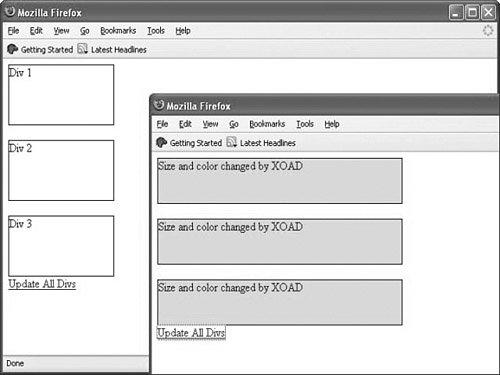
The three <div> elements in the page are identified by XOAD_HTML::getElementsByTagName() and have their styles and sizes changed.
Figure 21.2 shows the program in operation.
Figure 21.2. Selecting multiple page elements with XOAD_HTML.
Tip
 | XOAD_HTML has many other capabilities. Details of all the functions available within XOAD_HTML are in the XOAD download. |
![[View full size image]](21fig02_alt.jpg)